 ImaraISP
Welcome to ImaraISP
The operator's guide to running an ISP on ImaraISP, from first sign-in to daily collections.
ImaraISP is a billing and network platform for internet service providers. You bring the MikroTik routers and the customers. ImaraISP handles who is allowed online, for how long, how they pay, and what happens the second the money lands.
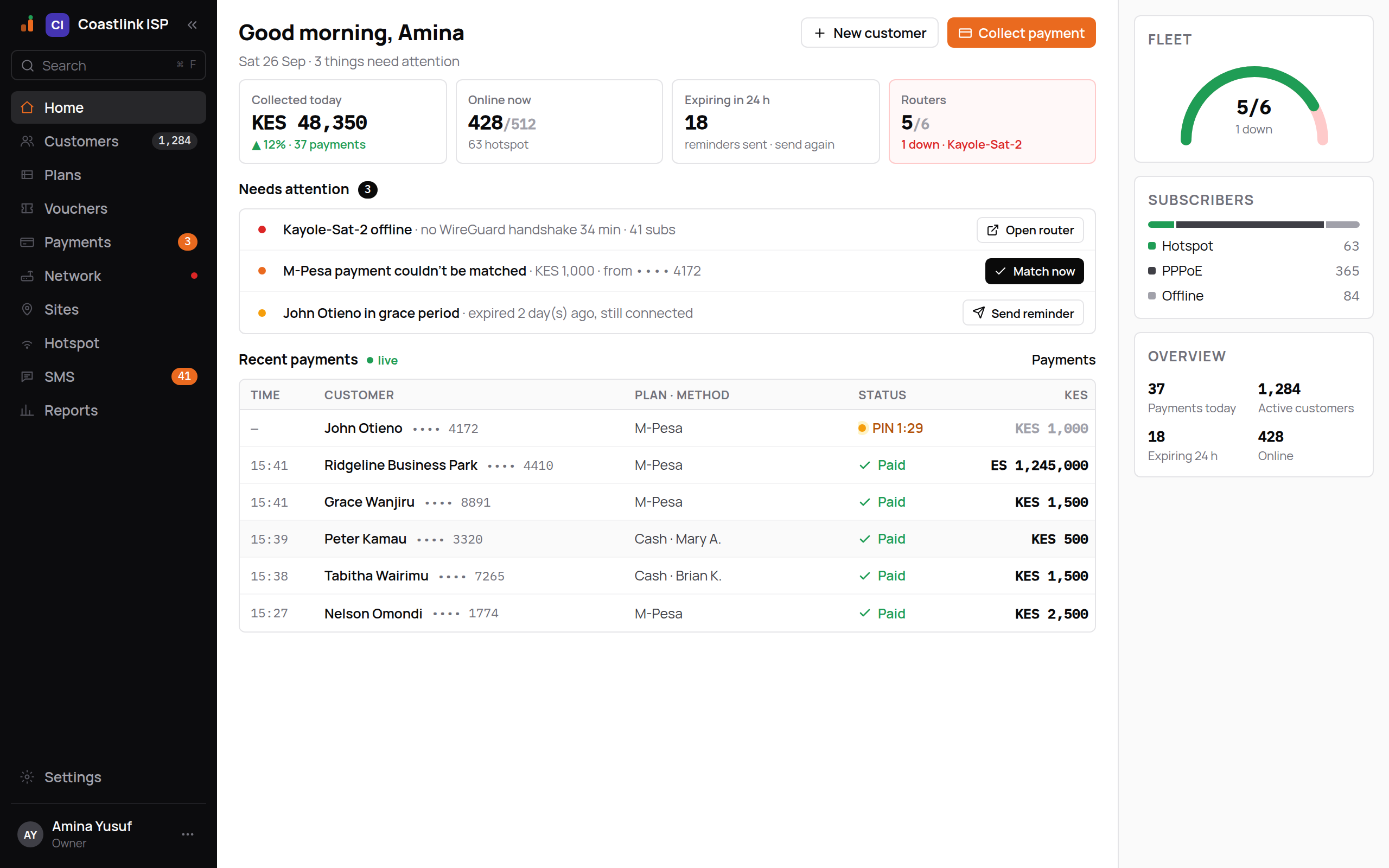
This guide walks through the whole product in the order an ISP actually uses it. Every screen is shown as it appears for the example tenant Coastlink ISP.
Who this guide is for
| You are | Start with |
|---|---|
| An owner setting up a new ISP | Set up your ISP, in order |
| A cashier collecting money | Pay now and Payments |
| Support helping a customer who cannot connect | Customers and What subscribers see |
| A technician installing routers | Add a router and Routers |
| A reseller with several ISPs | Managing your ISPs |
The thirty-minute tour
Sign in and look around
Sign in at https://app.imaraisp.ke; your ISP's workspace lives at app.imaraisp.ke/t/yourisp. Sign in, then read the Home screen: it tells you what needs attention today.
Connect money and a router
Add a payment provider so your subscribers' payments can reach you, create plans, then add your first MikroTik by pasting one script.
Add a customer and collect
Create a customer, open Pay now and send a payment prompt to their phone. When the payment lands the service is extended and the router reconnects them, without anyone touching the router.
Publish the hotspot portal
The hotspot portal is what walk-in customers see. Pick your logo, colour and plans, publish, and point the router's login page at it.
How the guide is organised
Getting started
The ideas behind every screen: your workspace, plans, customers, routers and money flow.
Set up your ISP
Settings, payment providers, plans, routers, team and the go-live checklist.
Daily operations
Customers, collecting payments, the unmatched queue, routers, hotspot, vouchers, SMS, reports.
What subscribers see
The captive portal and the self-service account area, step by step.
For resellers
Your ISPs, creating a new one, switching in, and how you bill them.
Reference
Addresses, roles and permissions, payment states and a glossary.
Searching the docs
Press Ctrl + K (or ⌘ + K) anywhere on this site to search. Every page also has a "Copy Markdown" button for pasting into a chat or a ticket.